Your prompts are
production code.
Find the bugs.
Ghost Prompt Triage audits a folder of LLM prompts and surfaces 16 categories of defects that make AI behave unpredictably, burn extra tokens, and hand you bigger API bills.
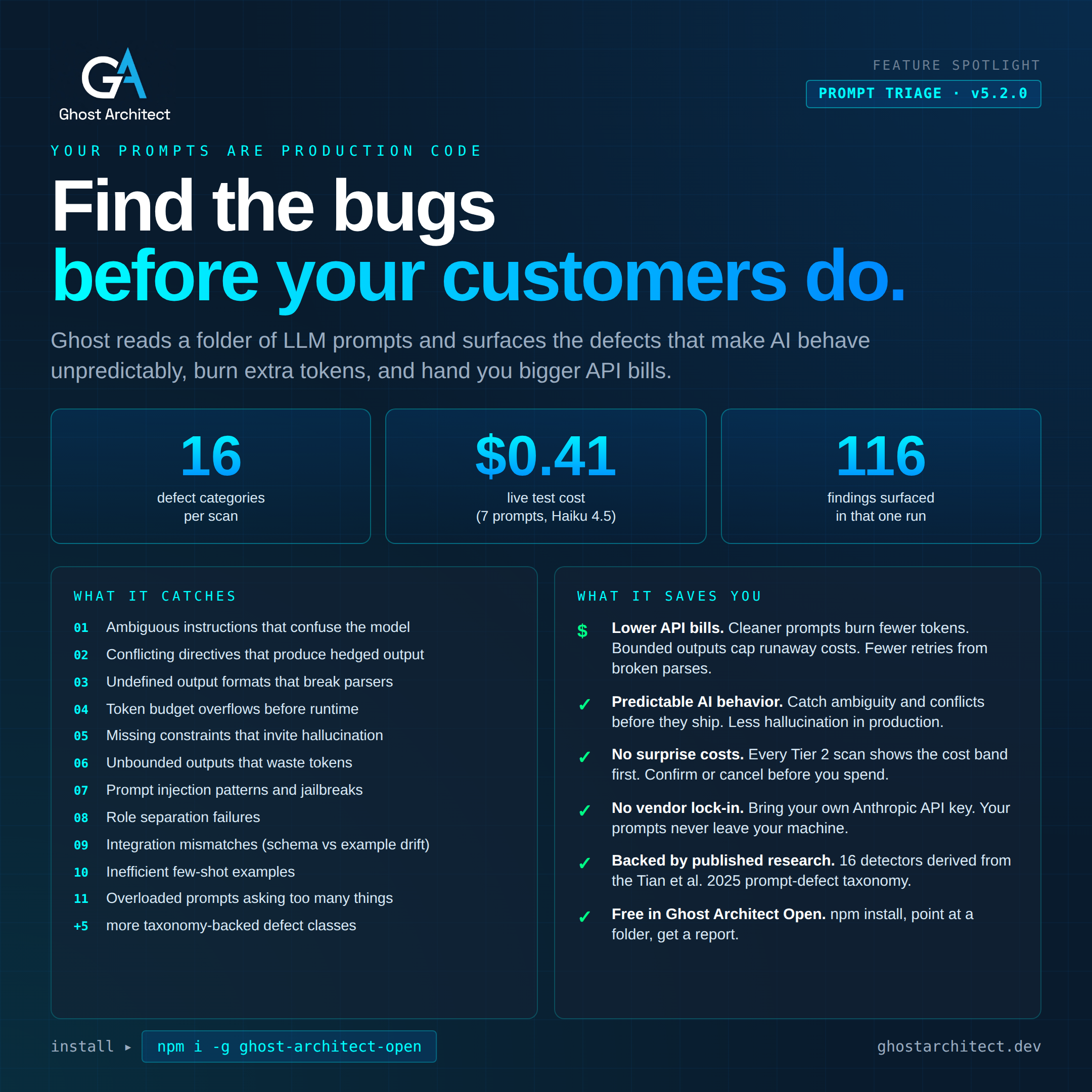
Prompt Triage is part of Ghost Architect™.
Ghost is a pre-engagement triage platform for codebases you didn't write. It maps risk, finds conflicts, sizes engagements, and now audits prompts. Same install. Same CLI. Six modes. See everything Ghost does →
Chat POI Blast Radius Conflict Recon Prompt Triage
// the problem nobody is solving
Your team reviews code in pull requests.
Who reviews the prompts?
If you ship AI features, your prompts are running in production. They route customer interactions, shape outputs, and quietly burn API tokens every time they misbehave. Most teams have no review process for prompts at all. The same engineer who writes a prompt usually deploys it. There's no second set of eyes on the file that's driving thousands of LLM calls a day.
Prompt Triage is the second set of eyes. It reads every prompt file you point it at and flags the defects that the academic literature has identified as causes of unpredictable AI behavior. Ambiguity. Conflicting instructions. Token overflows. Undefined output formats. Injection patterns. The kinds of bugs that make your AI hallucinate, hedge, or run away with your API budget.
// the 16 detectors
What Prompt Triage catches.
Three tiers of detection. Tier 1 runs free (pure regex and token counting). Tier 2 uses LLM-assisted judgment for semantic defects. Tier 3 is hybrid -- regex narrows the search, LLM verifies the match.
Formatting
Unclosed code blocks, unclosed inline code, broken tags, unmatched close tags, multiple system blocks, mixed role conventions, stray line markers.
Length
Prompts that are too short to be useful or too long to be efficient. Severity scales with magnitude.
Unbounded Output
Output instructions with no length cap, no format constraint, no stop conditions. The pattern that produces runaway token bills.
Injection Static Pattern
Known prompt injection patterns: instruction overrides, jailbreak phrases, exfiltration attempts. Pre-filter catches the obvious cases without an LLM call.
Role Separation
System/user/assistant boundaries that bleed into each other. Mixed message conventions that confuse the model about who is speaking.
Token Limit -- Context Overflow
Prompts plus expected output that exceed your target model's context window. Flagged before runtime.
Token Limit -- Excessive
Prompts that consume an unreasonable share of the context window relative to their job. Indicates bloat.
Ambiguous Instruction
Instructions that a careful reader could interpret two ways. Vague verbs, hedge words, missing acceptance criteria.
Underspecified Constraints
Tasks that lack the boundary conditions the model needs to succeed. Missing edge cases, missing failure modes, missing examples of done.
Conflicting Instructions
Two parts of the same prompt that ask for opposite things. The model hedges, the output gets longer, your token bill climbs.
Undefined Output Format
You expect JSON or a structured response but never said so explicitly. The model picks whatever format it likes. Your parser breaks. You retry.
Overloaded Prompt
A single prompt asking the model to do five things at once. Splitting it into a chain almost always lowers cost and improves quality.
Poor Organization
Instructions scattered, context buried, important constraints at the bottom. The model is more likely to follow rules it sees clearly.
Inefficient Few-Shot
Examples that don't demonstrate what you want, that contradict each other, or that bloat the prompt without teaching the model anything.
Poor Documentation
Prompts written for the person who wrote them, not for the next engineer who has to debug them. A real maintenance liability at scale.
Integration Mismatch
The prompt declares one output format but the few-shot examples use another. Tool schema field names drift from instruction text. Envelope shape mismatches. The bugs that break integrations silently.
// backed by published research
The taxonomy isn't ours. We just operationalized it.
The 16 detectors are derived from Tian et al. 2025, an academic survey of prompt defect categories that cause unpredictable LLM behavior. Each detector targets a distinct defect class identified in the research, with explicit references to the corresponding taxonomy entry. This means Prompt Triage isn't producing opinions about your prompts. It's identifying patterns that academic researchers have already shown cause measurable problems.
// how it works
From install to report
in under a minute.
No setup. No config files. No accounts. Point Ghost at a folder, pick a target model, get a report.
Install
One npm command.
npm install -g ghost-architect-open. Works on macOS, Windows, Linux.Run
Type
ghost, choose Prompt Triage, point at a folder of prompts..md,.txt,.yaml,.jsonare all supported.Confirm Cost
If you select a target model, Ghost shows the estimated cost band before any LLM call fires. Y to proceed, N to cancel.
Get the Report
Findings printed to terminal. PDF, Markdown, and TXT reports saved to
~/Ghost Architect Reports/prompt-triage/.
// the savings story
What clean prompts actually save you.
Prompt defects are not abstract quality issues. Each one is a direct cost driver. Ambiguity causes retries. Conflicting instructions cause hedged output. Undefined output formats cause parse failures and retries. Unbounded outputs cause runaway token bills. Token overflows cause failed requests and retries. The math compounds across every prompt in your stack.
Lower API bills
Cleaner prompts burn fewer tokens. Bounded outputs cap runaway costs. Fewer retries from broken parses. Every defect Prompt Triage fixes is a defect that costs your team money on every LLM call.
Predictable AI behavior
Catch ambiguity and conflicting instructions before they ship. Less hallucination in production. Less customer-facing weirdness. The same prompts running tomorrow produce the same outputs tomorrow.
No surprise costs
Every Tier 2 scan shows the cost band first. Confirm or cancel before you spend a cent. No mystery LLM calls. No bill shock at the end of the month.
No vendor lock-in
Bring your own Anthropic API key. Your prompts never leave your machine. No third party stores them, indexes them, or trains on them.
Faster code review
Prompts that pass Triage are easier to review. Documentation, structure, and constraints all already audited. Your seniors spend less time decoding what a prompt is supposed to do.
Defensible quality story
Telling stakeholders "our prompts are good" is hard to back up. "Our prompts pass a 16-detector triage backed by published academic research" is not.
// the rest of ghost architect
Prompt Triage is one mode.
Five more are waiting.
If you're auditing prompts, you probably also need to understand the codebase running them. Or the codebase you're about to inherit. Or the one you're trying to scope for a migration. Ghost Architect ships with five additional analysis modes that all use the same install, the same CLI, and the same bring-your-own-API-key model.
Chat
Ask the codebase anything in plain English. Ghost reads, indexes, and answers using only the files in your project. No hallucinations from elsewhere.
Points of Interest
Auto-map red flags, dead zones, fault lines, and landmarks across the entire codebase. The first scan a senior architect runs on a project they didn't write.
Blast Radius
Pick a file or function. Ghost traces every dependency, every affected flow, every downstream caller. Includes a rollback plan you can hand to a stakeholder.
Conflict Detection
Contract mismatches, schema conflicts, config disagreements between services. The integration bugs that show up at runtime instead of compile time.
Recon
Engagement sizing before you sign the SOW. File count, complexity gauge, scan cost projection, multi-pass plan. Walk into the scoping call with data.
See it all on the main site
Capabilities, security model, agency workflows, real proof-of-concept reports, pricing.
ghostarchitect.dev →// ghost open™ and ghost architect™ local
Prompt Triage™ is free.
Project tracking is in Ghost Architect™ Local.
Ghost Open™ runs Prompt Triage™ with all 16 detectors at full accuracy, unlimited, for one person. Project tracking, baselines, the Project Dashboard, teams and white label are in Ghost Architect™ Local, on your own model and hardware.
| Feature | Ghost Open™ | Ghost Architect™ Local |
|---|---|---|
| All 16 detectors | ✓ | ✓ |
| PDF and Markdown reports | ✓ | ✓ |
| One-shot audits, unlimited | ✓ | ✓ |
| Compare Reports side-by-side | ✓ | ✓ |
| Project tracking (label scans) | -- | ✓ |
| Baseline comparison (resolved / remaining / new) | -- | ✓ |
| Project Dashboard | -- | ✓ |
| Teams, roles and projects | -- | ✓ |
| White-label PDF (Ghost Partner™ profiles) | -- | ✓ |
See both products on the pricing page.
// frequently asked
Common questions.
How accurate are the detectors?
Tier 1 detectors are pure regex and token-counting. They're deterministic, so they're as accurate as the rule. Tier 2 detectors use LLM judgment, which means accuracy depends on the target model you pick. We recommend Claude Haiku 4.5 for the best balance of accuracy and cost (around $0.05 to $0.08 per prompt with all Tier 2 detectors running). For mission-critical audits, run with Sonnet 4 for higher accuracy at roughly 5x the cost.
What does a scan actually cost?
If you don't pick a target model, scans are free. Only Tier 1 detectors run, and they don't use the LLM. If you pick a target model, expect roughly $0.05 to $0.08 per prompt on Haiku 4.5. Our live test of 7 prompts came in at $0.41 total. Ghost shows you the cost band before any LLM call fires, and reports actual spend after the scan finishes.
What file formats does it support?
Markdown (.md, .markdown), plain text (.txt), YAML (.yaml, .yml), and JSON (.json) files containing prompt content. The loader filters out non-prompt files automatically (package.json, tsconfig, lockfiles, etc.) so you can point at a project root without setup.
Does Prompt Triage upload my prompts anywhere?
No. Prompt Triage runs entirely on your local machine. Your prompt files never leave your filesystem. LLM-backed detectors (Tier 2) make API calls to Anthropic using your own API key, under your own data agreement. Ghost Architect has no server. There is nothing to upload to.
Can I run Prompt Triage in CI?
Yes. Pass --non-interactive on the CLI to skip prompts. Cost pre-flight is auto-confirmed when a budget cap is set. The exit code reflects whether any Critical findings were surfaced, so CI can fail builds on regressions.
What's the difference between Ghost Open™ and Ghost Architect™ Local for Prompt Triage™?
Ghost Open™ runs Prompt Triage™ as a one-shot audit, free for one person. Every scan stands alone, every report is full. Ghost Architect™ Local adds project tracking: label a scan with a project name, and later scans on that label produce a baseline comparison (which findings were resolved, which remain, which are new), with the project's scans together on the Project Dashboard, across a team, on your own model. If you run Prompt Triage™ weekly or monthly to track prompt-quality drift across a team, Local is the upgrade. If you run one-off audits, Ghost Open™ is enough.
How is this different from a linter or static prompt-analysis tool?
Linters catch syntax issues. Prompt Triage catches semantic defects (ambiguity, conflicting instructions, undefined contracts, integration mismatches) that don't show up in syntax. The 7 Tier 1 detectors are linter-style. The 9 Tier 2 and Tier 3 detectors use LLM judgment to identify problems a regex cannot see.
Audit your prompts tonight.
npm install, point at a folder, get a report. Free for one person in Ghost Open™.